123 Numbers - Count & Tracing
RV AppStudiosEducational
4.7493.00 Reviews
- Version
- Varies With Device
- Installs
- 10.00M
- Age Rating
- Everyone
Screenshots
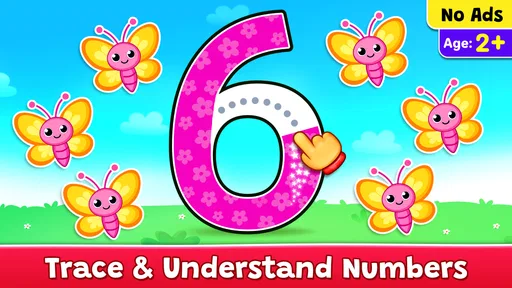
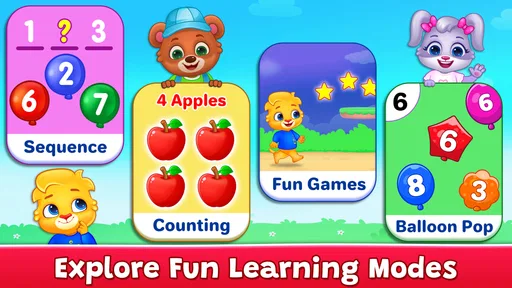
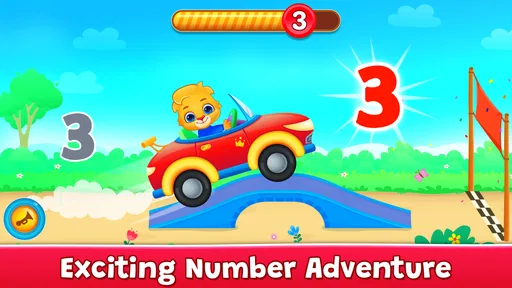

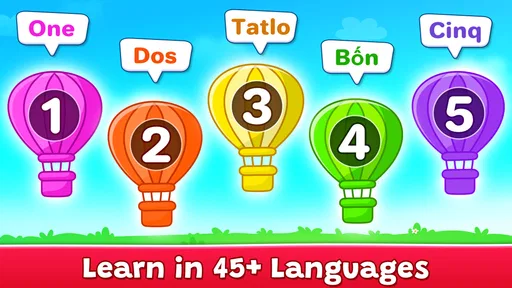
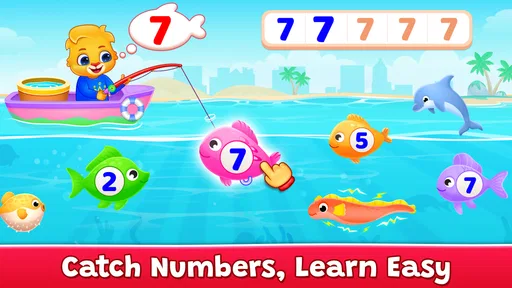
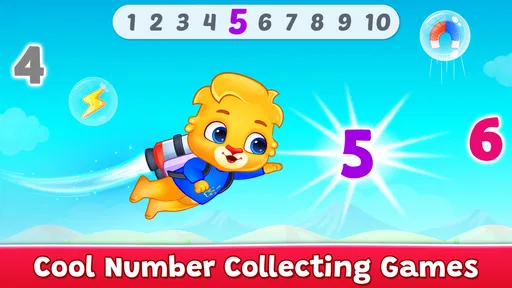
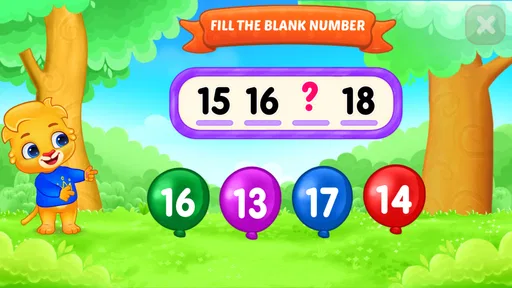
Our Review of 123 Numbers - Count & Tracing
 Analysis by Appyee
When I first tried 123 Numbers - Count & Tracing, I approached it as a quick learning game rather than a full teaching program. That is the right expectation. It is a free educational game from RV AppStudios, aimed at young children who are beginning to recognize numbers, practise counting, and control a finger or stylus on a screen. The presentation is simple enough for a child to understand without constant explanation, while the activities feel more playful than a worksheet.
The app is listed for Everyone and works on devices running Android 6.0 or later. It has reached over 10 million installs and holds a 4.6 average from around 20 thousand ratings, which gives it a strong track record among families looking for an accessible first numbers app. I would not treat those figures as proof that every child will enjoy it, but they do match my impression that this is a familiar, approachable choice rather than a niche experiment.
Getting started without turning learning into a struggle
The first useful step is to decide what you want from the session. If a child is just learning the shape of numerals, tracing should be the starting point. If the child already recognizes several numbers, counting activities may be more productive. Opening the app with no plan can lead to random tapping, especially when the child is more interested in the visual response than in the number itself.
I found that a short introduction from an adult makes a noticeable difference. Saying the number aloud, asking the child to repeat it, and then letting the child complete the activity creates a small learning routine. The game can provide repetition, but it cannot always replace the conversation that connects a symbol such as “4” with four real objects on a table.
The best setup is a calm, shared first session rather than handing over the phone and expecting the app to teach everything alone. This is particularly important for children who are still developing fine-motor control. A child may understand the number but struggle to trace it accurately, and that should not be mistaken for a problem with number recognition.
Before blaming the game for a difficult start, I would check the basics. The device should have a responsive touchscreen, enough battery for an uninterrupted activity, and a screen size that lets a small hand see the tracing path clearly. A very small phone can make finger placement awkward. On the other hand, a large tablet may be easier for tracing but less convenient for a child to hold independently.
It is also worth checking the operating system before installing. The game requires Android 6.0 or newer, so an older device may be the real reason installation is unavailable or unreliable. If the app installs but behaves oddly, I would first restart the device and make sure the system is not overloaded with other apps running at the same time. These are ordinary checks, but they prevent a lot of unnecessary frustration.
Where children and adults commonly get stuck
The most obvious sticking point is tracing. Adults often expect a child to follow the number shape immediately, but tracing combines visual attention, hand control, direction, and patience. A child may begin in the wrong place, move too quickly, or lift a finger halfway through. In that situation, I would avoid taking the device away and completing the number for them. Instead, I would demonstrate one slow movement and let the child try again.
Another common obstacle is confusing recognition with counting. A child might tap through a counting activity successfully without being able to identify the written numeral later. That does not make the exercise useless; it simply shows that the two skills need different kinds of practice. I recommend asking a quick offline question after a round: “Can you find three blocks?” or “Which card has the number you just used?” This reveals whether the game is supporting understanding or only encouraging screen interaction.
Some children also move through activities too quickly because they enjoy the feedback. That can look like progress while leaving little time to say the number aloud or connect it to quantity. I get better results when I pause between activities and ask the child to explain what they just did. The pause is not a feature of the app, but it turns a fast game into a more meaningful learning moment.
There is a practical difference between a preschool child using the game with an adult nearby and an older child using it independently. Younger children may need help with navigation and with interpreting the task. Older beginners can usually work more independently, but they may find the activities too basic once they are comfortable with number shapes. I would use it as an early practice tool, not as a complete mathematics course.
Recovering when a session goes wrong
If a child becomes frustrated, restarting the same activity repeatedly is rarely the best recovery. I prefer switching from tracing to counting, or taking a brief break and returning with a simpler prompt. The change of task can preserve the learning goal without making the child feel that an error has become a test.
When the app appears not to respond to a touch, I first check whether the child’s finger is covering too much of the screen or whether the touch is landing outside the intended area. Cleaning the screen and trying again can help, especially on a device used by several family members. If the whole app feels slow, I would close other open apps, restart the device, and reopen the game before assuming the installation is damaged.
If progress seems confusing after an interruption, I would simply return to a familiar activity and observe what the child can still do. This is more useful than treating a missed round as evidence that the child has lost the skill. Short sessions also reduce the effect of accidental taps, tiredness, and impatience. In my experience, a child who is still engaged for five focused minutes learns more than one who spends a long period rushing through screens.
Parents should also separate an app problem from a device problem. A cracked or insensitive screen, aggressive battery-saving behavior, low free storage, or an outdated operating system can interfere with installation and touch response. Safe troubleshooting means checking those conditions first, then restarting the app, and only afterward considering whether reinstallation is necessary. I would avoid changing several settings at once, because that makes it difficult to know what actually solved the issue.
How I would use it in an everyday routine
A realistic use case is a child waiting while a parent prepares dinner. I would set up a short session, choose one number-focused activity, and stay close enough to hear the child say the numbers. Afterward, I might place a few safe household objects on the table and ask the child to count the matching quantity. The app handles the visual practice; the objects provide the real-world connection that a screen alone cannot supply.
Another useful routine is a gentle transition before bedtime or after preschool. Rather than presenting the game as a reward for finishing chores, I would use it as a predictable practice window. One session can focus on tracing, while another can focus on counting. Keeping the goal narrow helps the adult notice improvement in a specific skill instead of relying on a vague feeling that the child is “getting better at numbers.”
For children who reverse or confuse numerals, tracing can be a useful starting point, but I would not force repetition when the child is tired. I would show the numeral in a different context afterward, perhaps on a book page or a piece of paper. This matters because recognition should gradually transfer beyond the app. If the child only recognizes the number inside the same colorful activity, the learning has not yet generalized.
A small but valuable tip is to let the child use the dominant hand naturally while keeping the device stable with the other hand or on a table. Reaching across a loose phone makes tracing harder and can create unnecessary errors. A stand or a flat surface is often more helpful than an adult repeatedly correcting the child’s finger. The aim is to make the movement physically manageable so attention can remain on the number.
What the game does well, and where another option may be better
Compared with printed worksheets, the game is more inviting for children who resist pencil work. It gives immediate visual interaction and makes repeating a number feel less like drilling. Compared with a general video, it asks the child to participate rather than only watch. Those are meaningful strengths for a first introduction to numerals and counting.
Its limitation is the same reason it is approachable: the learning scope is narrow. A child who needs addition, subtraction, word problems, shape recognition, or a more structured curriculum will need another resource. A physical workbook may be better when handwriting practice is the main goal. A teacher-led activity may be better when a child needs correction tailored to a particular misunderstanding. A broader mathematics app may be a better choice for children who have already mastered basic tracing and counting.
I also would not choose it as the only activity for a child who becomes overstimulated by screens or who needs more open-ended play. Counting toys, blocks, picture books, and ordinary household objects can develop the same early ideas in ways that also involve movement and conversation. The strongest role for this game is as one part of a varied routine, not as a replacement for hands-on learning.
The free price makes experimentation easy, especially for families who want to see whether a child responds well to digital practice before committing to a paid program. Still, “free” should not lead parents to expect a complete teaching system. The value comes from using the activities deliberately and connecting them to real examples outside the screen.
Who should try it and who should skip it
I would recommend it to parents, caregivers, and early-years educators who want a straightforward way to practise number shapes and basic counting with a young learner. It is particularly suitable when a child enjoys touch-based activities, benefits from repetition, or needs a low-pressure introduction before moving to pencil-and-paper work.
I would be more cautious if the child is already comfortable with numerals and wants a challenge. In that case, the game may feel repetitive rather than rewarding. I would also skip it as a primary solution if the child has persistent difficulty understanding quantity, following visual instructions, or controlling the screen. Those situations call for observation and possibly guidance from an educator, not simply more attempts at the same activity.
The age rating of Everyone makes it broadly suitable from a content perspective, but that does not tell an adult how much supervision a particular child needs. A preschooler may need help navigating, while another child of the same age may work independently. I would judge that based on the child’s attention, motor skills, and ability to stop when the session is over.
My practical verdict after using it
123 Numbers - Count & Tracing is a focused early-learning game that succeeds when its role is kept clear. I like it as a bridge between seeing a numeral and physically practising its shape, with counting activities adding a second way to engage with numbers. The work from RV AppStudios feels most useful when an adult turns each short activity into a conversation rather than leaving the child to tap through it without context.
It is free, rated for Everyone, and available to a large audience, with its release dating back to April 11, 2017. Those details make it an easy option to try on a compatible device, but the real decision should depend on the child’s stage. If the goal is early number familiarity, I think it is worth installing. If the goal is full mathematics instruction, handwriting mastery, or advanced practice, I would choose a more specialized alternative and use this only as a small supporting exercise.
My final advice is to begin with one activity, keep the first session short, and watch how the child responds. Check the device and operating system if setup is troublesome, change activities when frustration appears, and reinforce every digital exercise with real counting away from the screen. Used that way, 123 Numbers - Count & Tracing is not a substitute for teaching, but it is a friendly and practical tool for making the first steps into numbers feel approachable.
Privacy and Permissions
See what permissions an app requests and how it handles your data.
- Other
- view network connections, full network access, run at startup, control vibration, prevent device from sleeping, Google Play license check
Verdict
Strengths of 123 Numbers - Count & Tracing
- Simple counting activities help young children recognize numbers.
- Tracing exercises support early handwriting and fine motor development.
- Bright visuals and playful sounds keep practice sessions engaging.
- Short activities work well for quick learning sessions.
- Suitable for preschoolers beginning their first number lessons.
Limitations of 123 Numbers - Count & Tracing
- Limited challenge for children who already know basic numbers.
- Repetitive exercises may become less engaging over time.
- Requires supervision to ensure children follow tracing patterns correctly.
- Some features may feel too basic for older preschool learners.
- Progress tracking may not provide enough detail for parents.
Other Releases by RV AppStudios
View All
Coloring Games: Color & Paint
Educational4.4

Drawing Games: Draw & Color
Educational4.3

Baby Games: Piano & Baby Phone
Educational4.4

Puzzle Kids: Jigsaw Puzzles
Educational4.4
Similar Picks in This Category
View All
Little Panda Policeman
BabyBus4.0

Monster Trucks Game for Kids 2
Raz Games4.1

Little Panda's Chinese Recipes
BabyBus4.4

Little Panda's Restaurant
BabyBus4.4

Little Panda's Ice Cream Games
BabyBus4.3

Baby Panda Care
BabyBus3.8
Frequently Asked Questions
What is 123 Numbers - Count & Tracing designed for?
123 Numbers - Count & Tracing is an early-learning app focused on helping young children recognize numbers, count objects, and practice writing numerals. Its activities generally combine visual examples, tracing exercises, and simple interactions intended for preschool and kindergarten learners. It is best viewed as a supplementary learning tool that makes basic number practice more engaging, rather than a replacement for guided teaching or classroom instruction.
Is 123 Numbers - Count & Tracing suitable for my child’s age?
The app is mainly aimed at preschool-aged children and beginners who are learning numbers for the first time. Children who already write numbers confidently may find the introductory activities too easy, while younger users may still need an adult to explain the tasks. Before downloading, parents should consider the child’s fine-motor skills, attention span, and familiarity with counting, since learning progress can vary considerably.
Does the app work offline?
Many of the core counting and number-tracing activities can typically be used without a continuous internet connection once the application is installed. However, internet access may still be needed for downloading the app, restoring purchases, receiving updates, or displaying certain advertisements. Parents who want a completely offline experience should test the app after installation and review its current store description and permission requirements.
Are there advertisements or in-app purchases?
Depending on the version and platform, 123 Numbers - Count & Tracing may include advertising, optional purchases, or a paid version designed to remove advertisements and unlock additional content. Adults should check the app’s store listing before allowing a child to use it independently. It is also advisable to enable parental controls or require authentication for purchases, especially on shared family devices.
Is 123 Numbers - Count & Tracing safe and easy for children to use?
The app is designed with simple controls, colorful visuals, and short activities that young children can usually understand with minimal assistance. Nevertheless, parents should supervise the first sessions, check whether advertisements or external links appear, and review the permissions requested by the installed version. Supervision is particularly useful because tracing apps support practice, but children may need encouragement to hold the device correctly and complete tasks carefully.
Play our best games!


